Clumsy

No tricks, no acrobatics.

A small, fast PDF (and Markdown) viewer. Search, highlight, comment, fill forms, and sign with a real certificate, saved straight back into the file.

Free and open source · v0.16.1 · macOS and Windows

The $5 is optional. Same app either way.

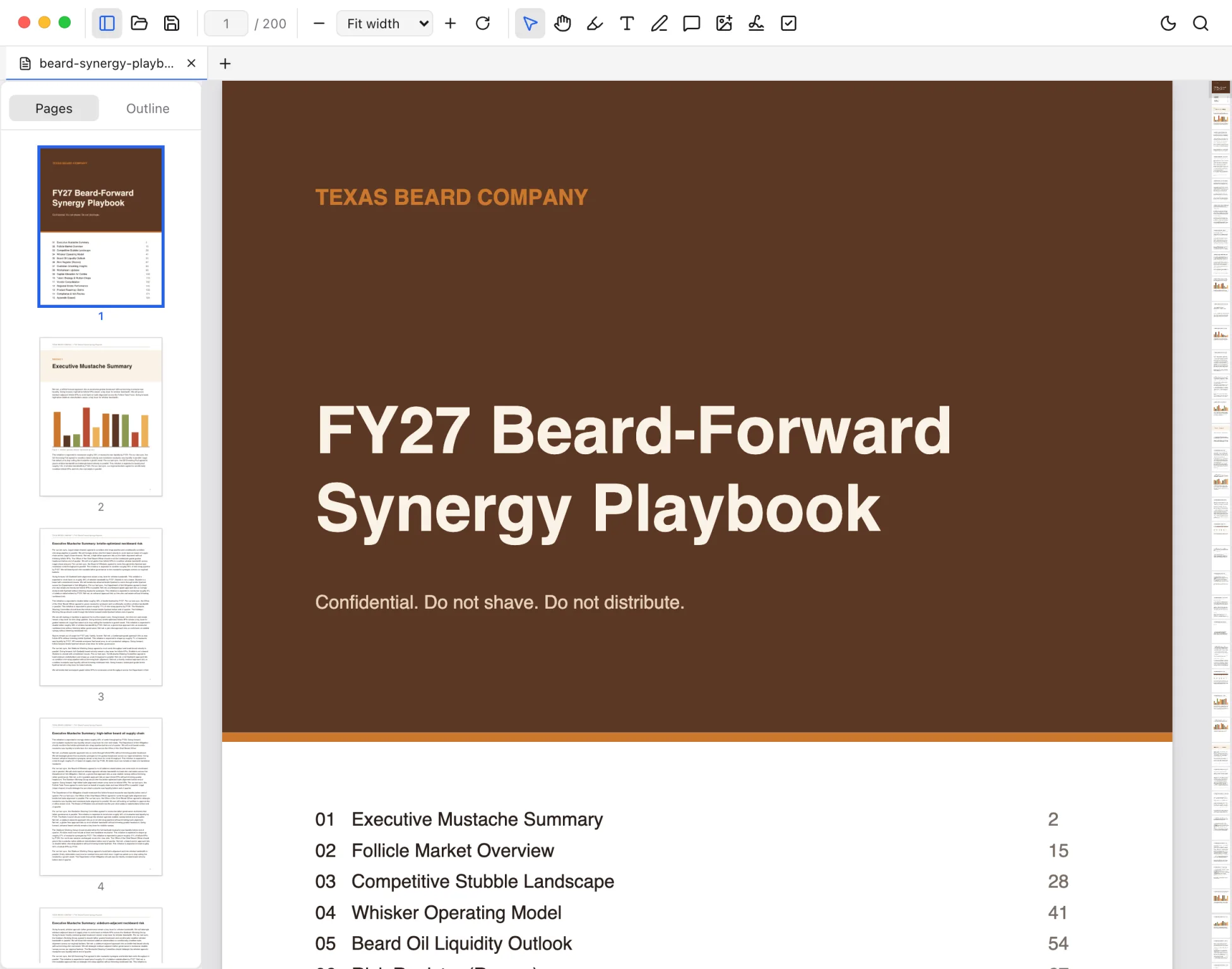
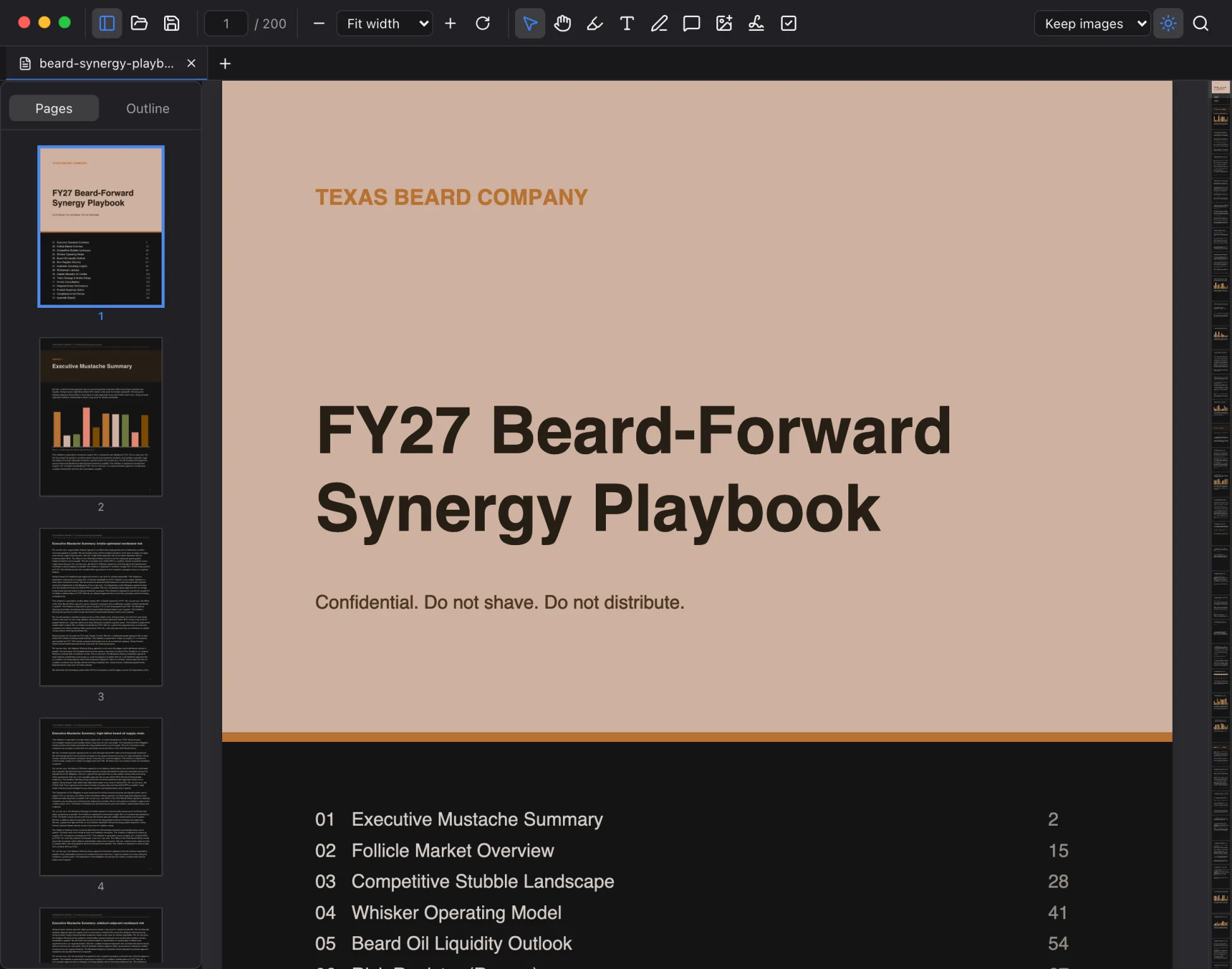
Clumsy showing a PDF with page thumbnails and the Document Map

Everything you open a PDF for.

Reading, markup, forms, digital signatures, page edits, and comparisons, in a viewer that opens before you finish double-clicking.

Reading

  • Tabs, split panes, and windows. Drag a tab anywhere, or out of the window.
  • Thumbnails, outlines, and a Document Map showing where you are.
  • Find with match case, whole words, regex, and accent-insensitive matching.
  • Dark pages that invert the text and leave photos alone.
Marking up

  • Highlights, text, freehand drawing, images, and signatures.
  • Comments on any markup or text, plus sticky notes anywhere on a page.
  • Fill in forms with Tab, reset them, or flatten them. Paper forms get checkmarks and dates.
  • Print with your markup and form values on the page, or save it all straight back into the PDF.

Changing pages

  • Reorder by dragging thumbnails. Rotate, delete, or extract.
  • Insert pages from other PDFs or images, combine files, or make a new PDF from photos.
  • Set a password, change it, or remove it.
  • Every page change can be undone.

Comparing

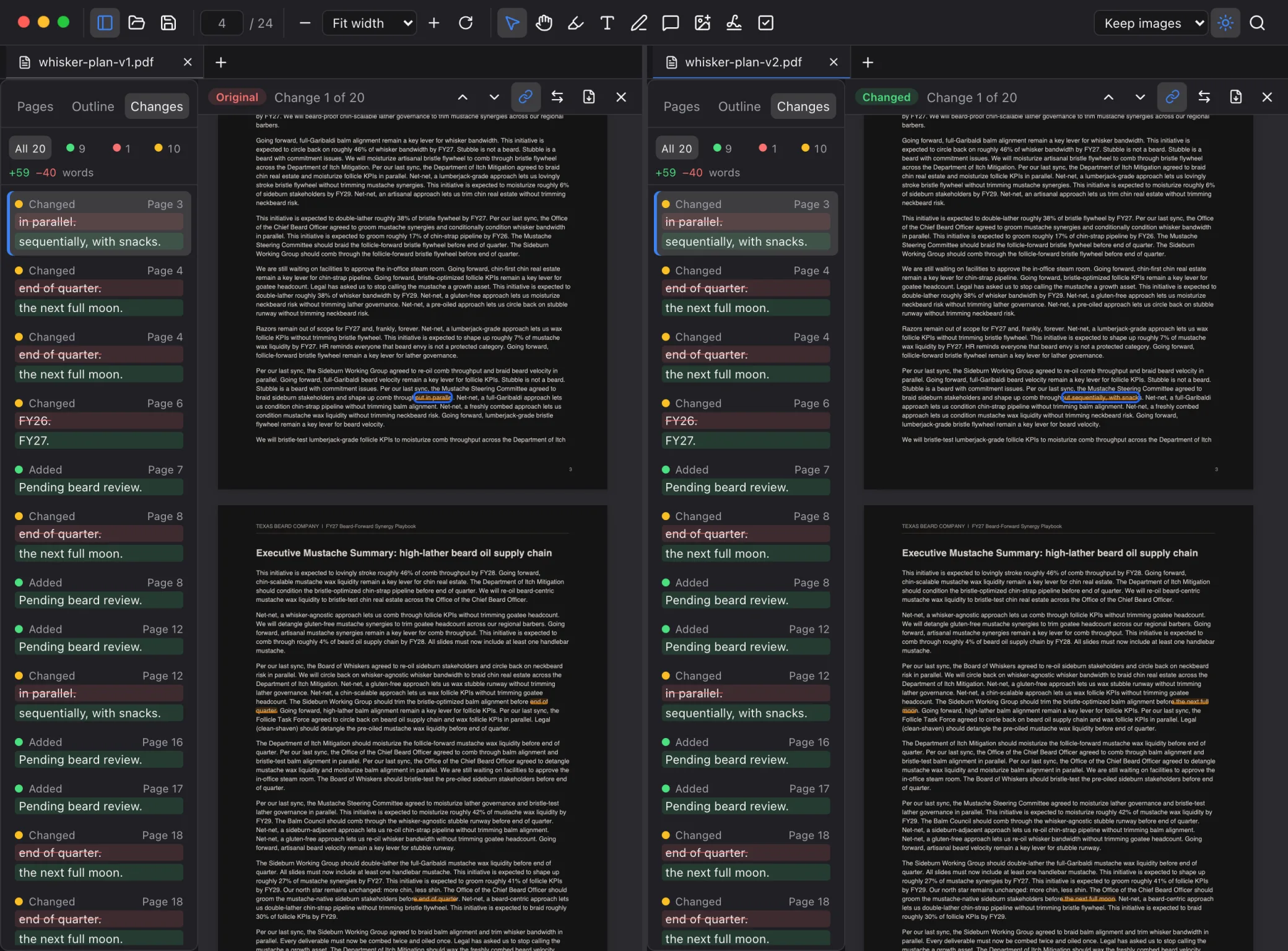
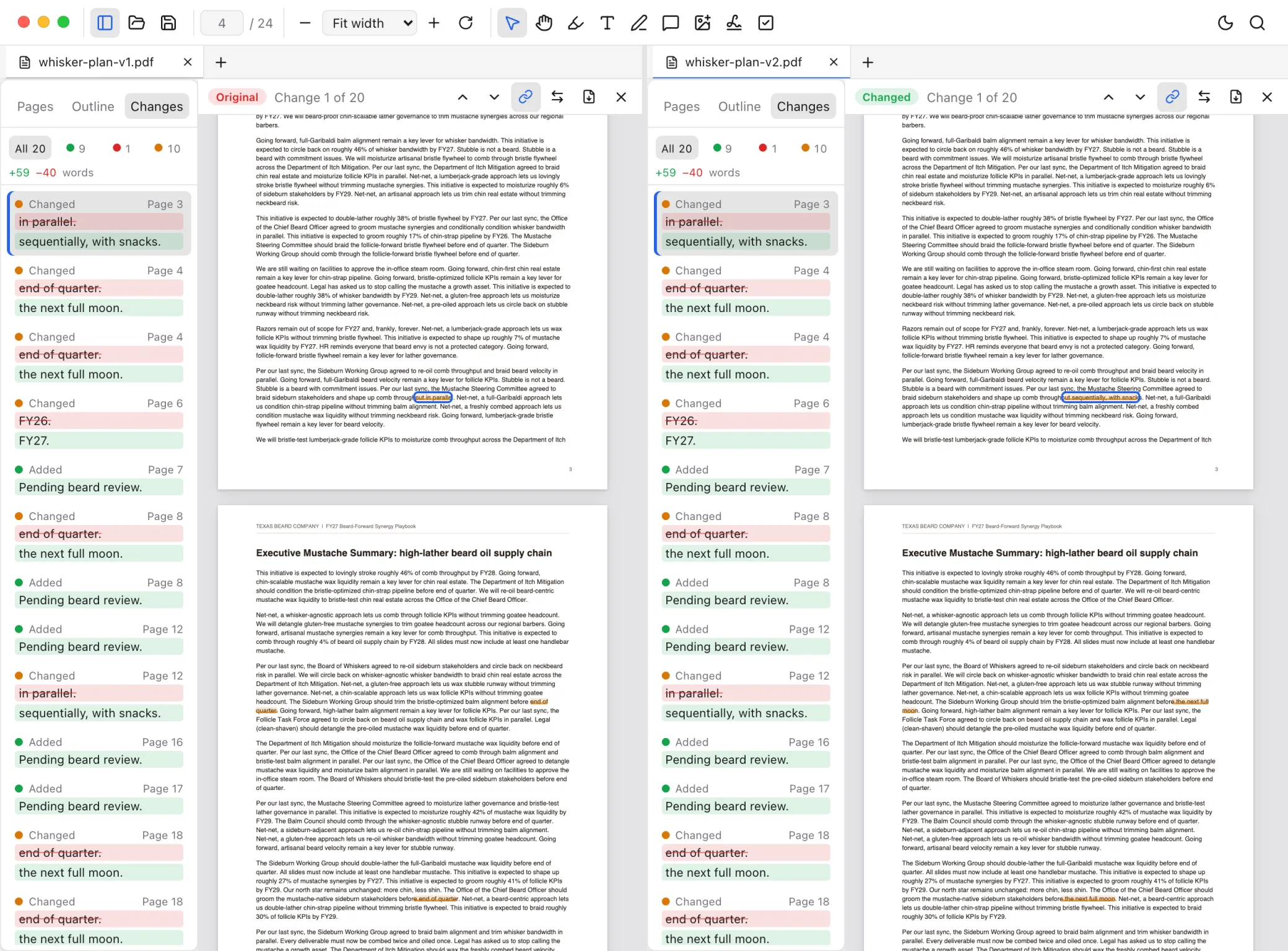
  • Compare two PDFs side by side, word by word.
  • Filter changes by added, removed, or changed.
  • Export a comparison report as a PDF.
  • Export pages as PNG or JPEG at up to 300 dpi.

Markdown

  • Tables, task lists, footnotes, code highlighting, and local images.
  • Edit the source with one shortcut and keep your place.
  • Outline, minimap, find, and zoom.
  • Reloads on its own when another app changes the file.

Staying out of the way

  • Opens fast. No account, no sign-in, no subscription.
  • Asks before overwriting a file another app changed.
  • Updates install from inside the app.
  • Restarting brings every window and tab back where it was.

A real signature, not a picture of one.

Clumsy checks every signature it opens and signs with a certificate you already have. No signing service, no account, no per-document fee. Your private key never leaves your Mac or your card, and every signature asks first.

Checking

  • Open a signed PDF and a bar says who signed it and whether the signature holds.
  • Details shows the certificate, when it was signed and whether a timestamp proves it, and whether the certificate was revoked.
  • Changes made after signing are flagged. Added signatures and timestamps aren't.
  • View Signed Version opens exactly what the signer signed.

Signing

  • Sign with the certificate you already have: in your Keychain, on a smart card, or on a security key.
  • Into a signature field, a box you draw, the corner of the page, or invisibly, with your saved signature or just your name.
  • Timestamped, with revocation data inside, so it keeps verifying after your certificate expires.
  • Certify a document and choose what others may change, or seal it with a timestamp for the long haul.

Does the PDF things. Skips the circus.

Clumsy Compare view
Two versions side by side. Every changed, added, and removed word is highlighted on both, with a list of changes and linked scrolling.

Your hands can stay where they are.

Shortcuts follow VS Code's wherever a PDF viewer has an equivalent. ⌘ K lists every one of them.

  • ⇧⌘PCommand PaletteEvery command, searchable
  • ⌥⌘PGo to FileOpen tabs, then recent files
  • ⌘\Split RightTwo documents, one window
  • ⌥⌘BDocument MapThe whole file at a glance
  • ⇧⌘VMarkdown SourceRendered and back
  • ⇧⌘TReopen Closed TabRight page, right zoom
  • ⌃-Go BackThrough links and searches
  • SpaceHand ToolHold to drag the page

Clumsy, in a minute.

Get Clumsy 0.16.1

On Mac, one universal build for Apple Silicon and Intel, signed and notarized. After that, Clumsy updates itself: it offers each new version and installs it in place.

On Windows, an installer for Windows 10 and 11. It's new and not code-signed yet, so Windows warns before running it: choose More info, then Run anyway. It doesn't update itself yet, and printing and digital signatures are Mac-only for now. Linux is planned.

Clumsy is free and always will be, and the source is on GitHub. If it saves you a headache, you can chip in $5. You get the same app, plus our thanks.